
Payroll computed from the data you already have
Gross-to-net that computes itself from attendance, leave and contracts. Statutory deductions per country, branded payslips, M-Pesa disbursement and a full approval trail, all from one screen.
Savanna360 HR web workspace
What Payroll gives you
Automatic gross-to-net
Earnings, deductions, benefits in kind and overtime resolve from the employee's contract and the month's attendance.
Kenya statutory, shipped
PAYE with graduated bands and reliefs, NSSF Tier I and II, SHIF and the Affordable Housing Levy, employer portions included. Rates kept current.
Branded payslips
Every employee gets a payslip on the company letterhead, in the app and by email, with a verification code.
Disbursement
Pay straight to M-Pesa, or export the approved payment schedule for upload to your bank's portal.
Approval trail
Draft, review, approve, submit. Every step is stamped with who did it and when, and nothing posts without approval.
Advances and recoveries
Salary advances and loan repayments are recovered automatically from the next run, with the balance always visible.
The numbers are ready before payroll opens
Payroll does not start with a data-entry sprint. Days worked, absences, overtime and unpaid leave have been accruing all month from the same records employees clocked against.
- Days worked pulled from verified clock-ins
- Unpaid leave and absence deducted automatically
- Overtime rated by shift rules, not by hand
- Variance against last month flagged before you approve
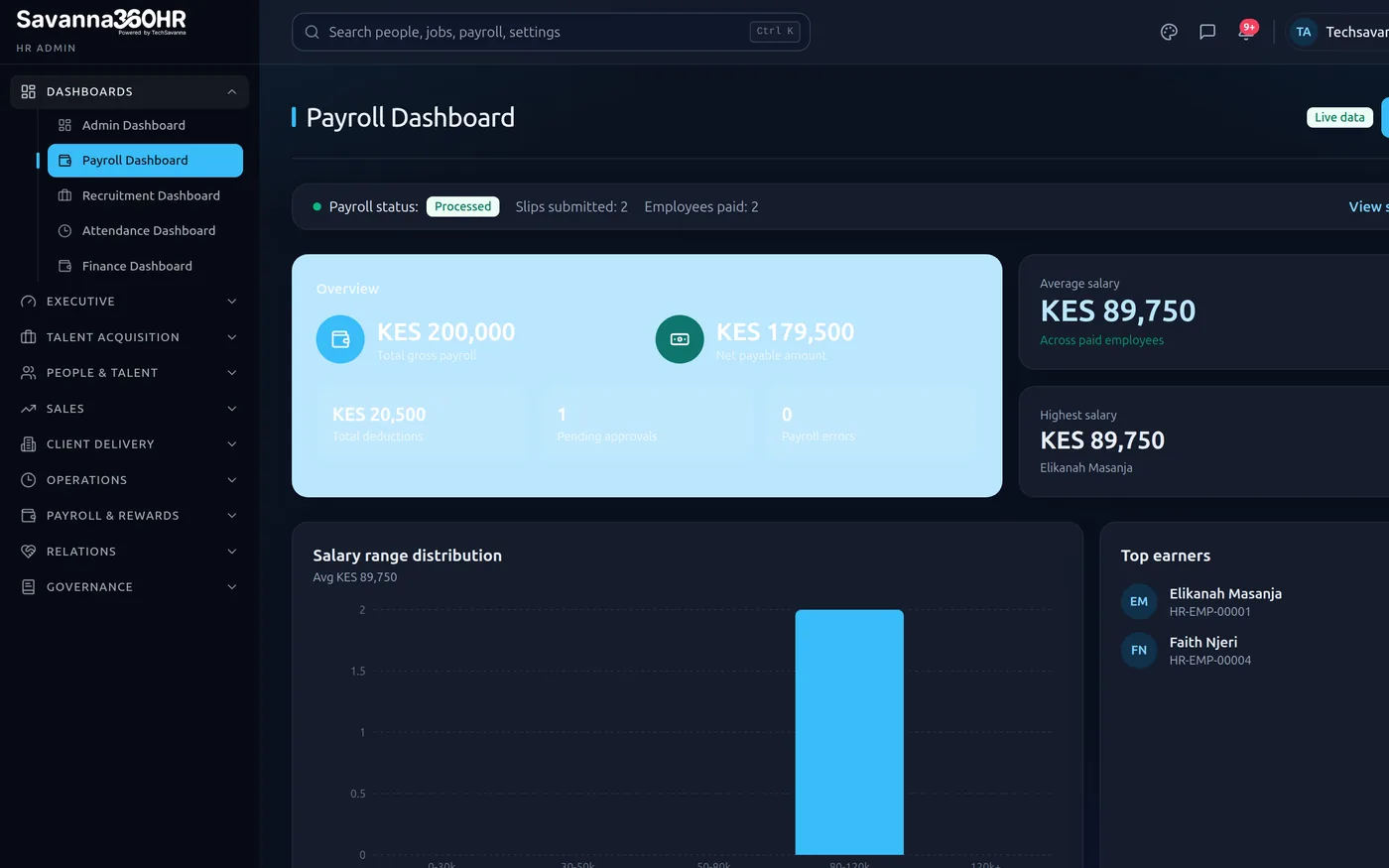
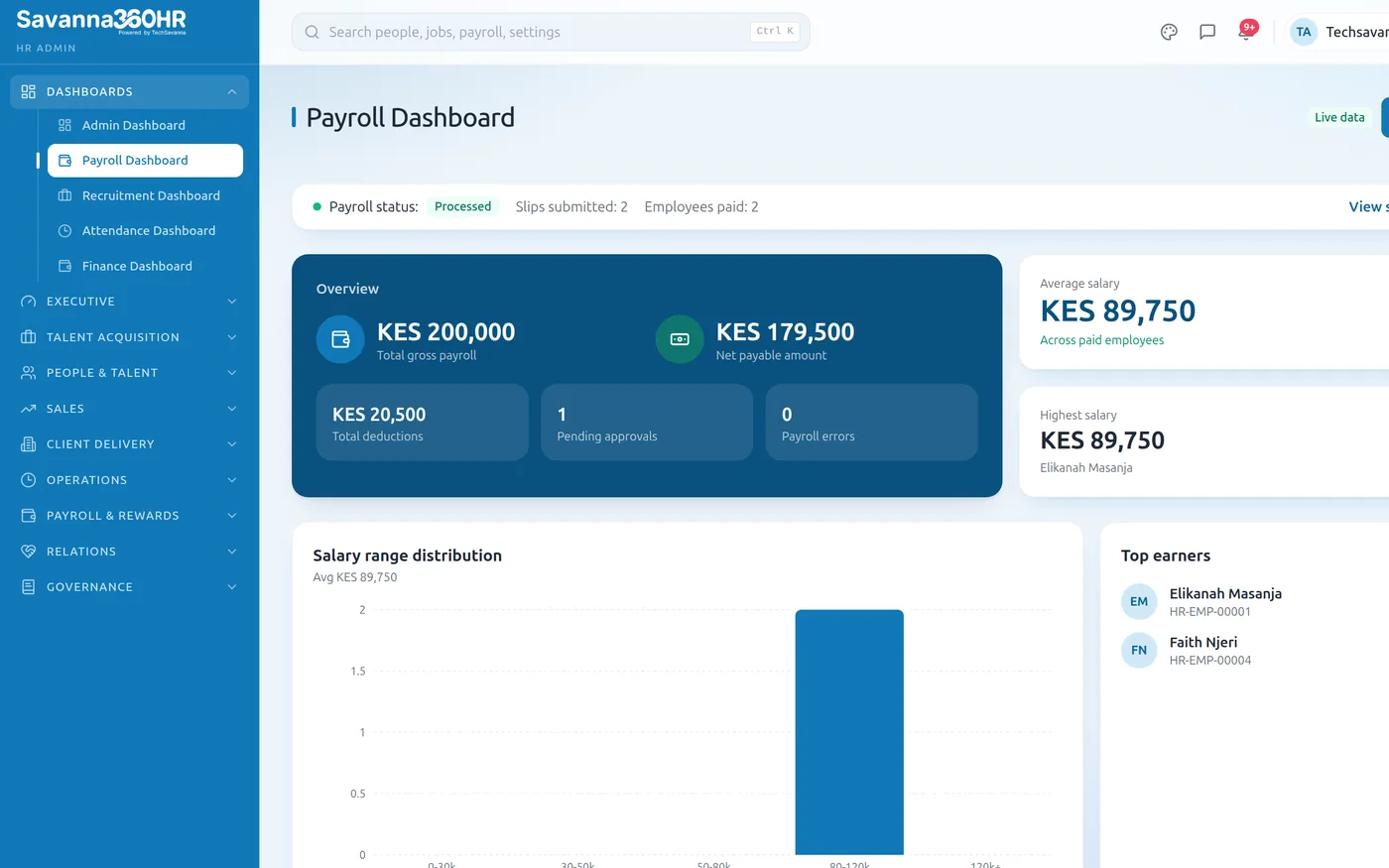
Payroll dashboard — Savanna360 HR web workspace
Statutory filings that stay current
Country packs load when your workspace is provisioned and are maintained centrally. When a rate changes, your workspace gets the change, and the audit report shows exactly what was applied.
- Country statutory pack applied at provisioning
- Rate changes maintained centrally and pushed to you
- Audit-ready statutory reports per period
- Full history of what rate applied in which month
Illustration — not live customer data
Payslips that are easy to read
Net pay first, then the breakdown. Year-to-date totals, working days, payment date and status, with the branded PDF one tap away and a QR code for anyone who needs to verify it.
- Net pay, gross and deductions at a glance
- Year-to-date totals maintained automatically
- Branded PDF with a verification QR code
- Sensitive screens can require a fingerprint or face unlock
Savanna360 HR web workspace
How teams roll Payroll out
Open the period
The run is created from your pay calendar with every active employee already in it.
Review the variance
Anything materially different from last month is surfaced before you approve, not after.
Approve
One approval posts the run, generates payslips and stamps the audit trail.
Disburse
Pay to M-Pesa or export the payment schedule for your bank, then payslips reach every employee.
Frequently asked questions
The Kenya pack ships as standard: PAYE with graduated bands and personal and insurance relief, NSSF Tier I and II, SHIF, and the Affordable Housing Levy including employer portions. It is maintained centrally and updated when rates change. No other country pack exists yet; Techsavanna builds one to order if you need it.
Yes. Multi-entity payroll — separate pay calendars, statutory profiles and approval chains per entity, with consolidated reporting — is set up as part of a tailored plan, scoped to the number of entities you run.
An employee requests an advance in the app, it routes for approval, and once disbursed the recovery schedule is attached to payroll. Repayments are deducted from subsequent runs automatically until the balance clears.
M-Pesa disbursement is built in. For staff paid by bank transfer, the approved payroll run exports a complete payment schedule to spreadsheet for upload to your bank's portal. Per-bank batch file formats and additional mobile-money rails are on the roadmap.
Try Payroll on your own data
Provision a full workspace in about ten minutes. Three days free, no card required.