
From a form to a live workspace, in about ten minutes
Most HR platforms sell you software and then sell you an implementation project. Savanna360 stands your workspace up automatically: its own database, its own address, its own certificate, your branding and your country's statutory pack, with nobody touching a server.
Three things are asked of you
Choose a plan
Pick the tier that fits your headcount. Every plan opens with a free 3-day trial and no card is requested.
Describe your company
Name, country, team size, a brand colour and a logo. That is the entire form, and it takes under a minute.
Watch it build
A live progress bar names each step as it completes. Keep the tab open or close it and wait for the email; the build does not depend on your browser.
The seven steps, in order
Each step is idempotent and recoverable. If one fails on a transient fault it retries on its own, and if a build stalls entirely a watchdog picks it up.
01 · Create the workspace
A dedicated database and site are created for your company alone. Nothing is shared with another customer.
02 · Install the HR suite
The full Savanna360 HR application stack is installed into your workspace and migrated to the current version.
03 · Configure your company
Your company record, currency, fiscal year, roles and permission structure are created from the details you gave.
04 · Publish your address
Your subdomain is added to the web tier and starts answering, serialised so concurrent builds never collide.
05 · Secure it
A TLS certificate is issued and installed, so the workspace is reachable over HTTPS from the first request.
06 · Apply your branding
Your logo, colour and company name are applied to the login page, the app shell and outgoing documents.
07 · Hand over
A branded welcome email goes out with a one-time link that reveals your first password over TLS, once.
Then: billing is registered
Your customer record, server instance and first invoice are created on the Techsavanna platform account, not in your workspace.
Built to finish without a human
Provisioning touches a database, a web server and a certificate authority. Any of those can hiccup, so the build is designed to recover rather than to page somebody.
- A failed build retries automatically, up to twice, resuming rather than restarting
- A build with no progress for 45 minutes is detected and recovered by a watchdog
- The web-server and certificate step is serialised, so simultaneous signups never corrupt configuration
- Only after retries are exhausted is a human alerted, and you are emailed either way
Illustration — not live customer data
Built to handle concurrent signups
Provisioning is bounded to a safe level of concurrency, so several companies can sign up at once without any of them waiting on the others or slowing the platform down. Builds are queued and worked through in order rather than all at once.
- Concurrent signups are queued, not dropped
- Each build is isolated, so one failing does not affect the rest
- Provisioning runs on separate workers from the live platform
- You are emailed when your workspace is ready, whether or not you keep the tab open
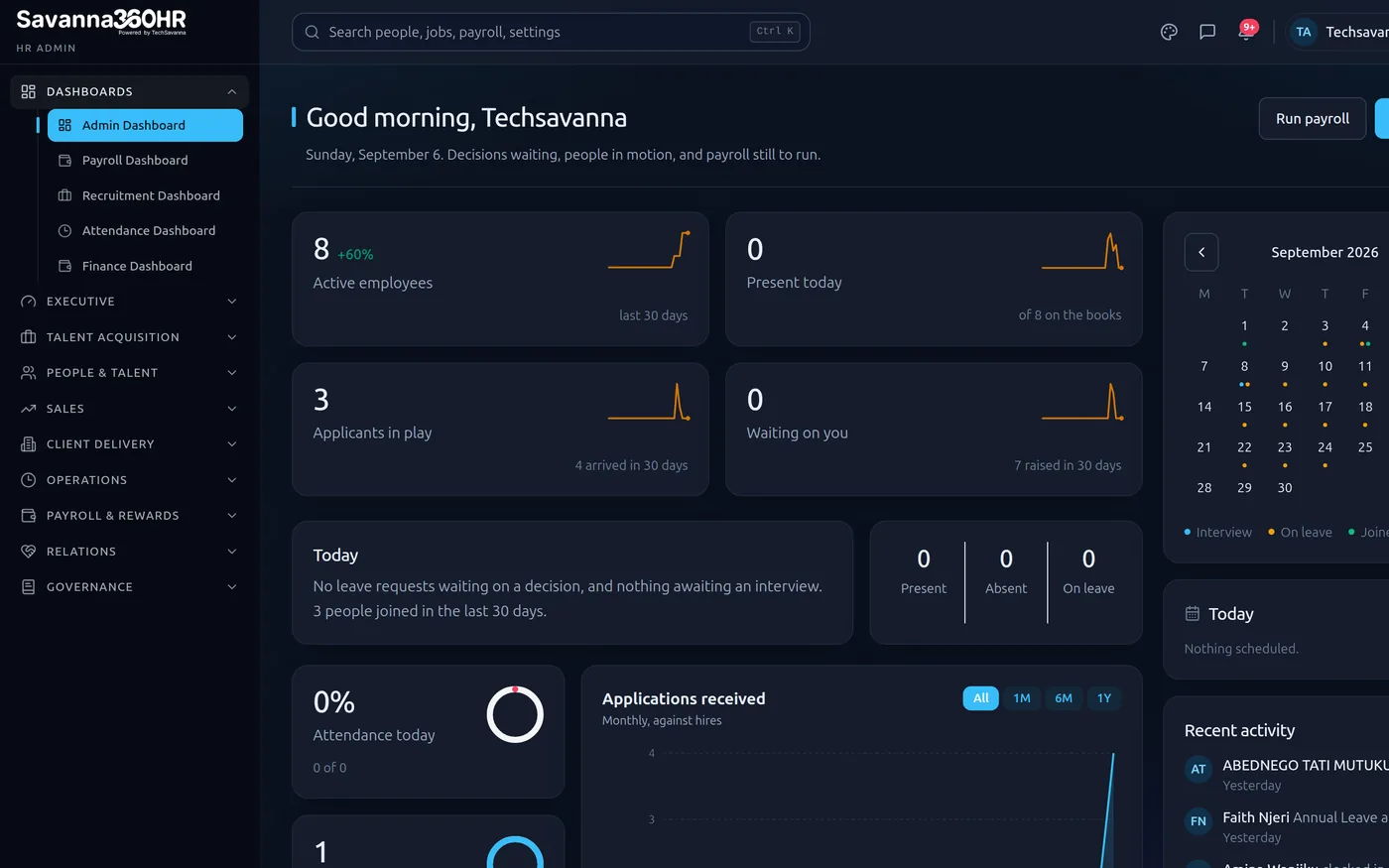
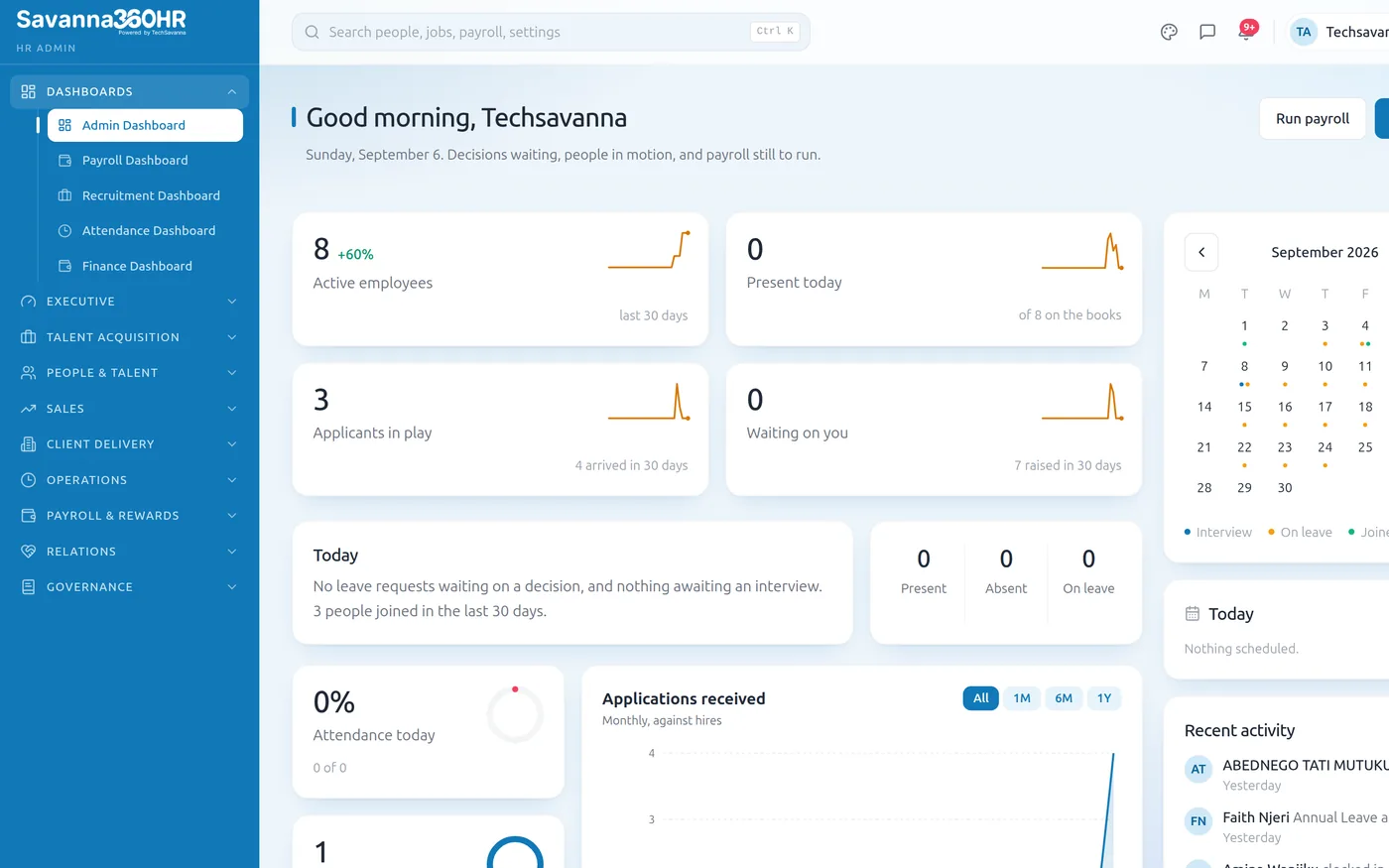
Admin workspace — Savanna360 HR
Your first week
Sign in and import
Reveal your password from the welcome email, sign in, and import employees from a spreadsheet with guided field mapping.
Set the structure
Departments, reporting lines and leave policy. Approvals start routing by reporting line from this point.
Invite the team
Employees get a secure first-password link and download the app; self-service starts absorbing routine requests.
First payroll
Attendance and leave have been accruing since day one, so the first run has real data behind it.
Frequently asked questions
No. The build runs on the server, not in your browser. You can close the tab and wait for the email. If you do keep it open you get a live progress bar, and if you reload within thirty minutes it reconnects to the build in progress.
A subdomain based on your company name, secured with its own certificate. If the name is already taken the wizard picks the next available variant and shows it to you before building.
Yes, on request. The workspace is provisioned on the standard subdomain first so you are working immediately, and a custom domain can be pointed at it afterwards without a rebuild.
It retries automatically, resuming from where it stopped rather than starting over. If it still cannot finish, our team is alerted immediately, you are emailed, and no invoice is raised for a workspace that did not come up.
Yes. It is a complete, isolated Savanna360 HR instance, not a limited demo. If you continue, nothing is migrated or rebuilt; the same workspace simply keeps running.
Import from a spreadsheet with guided field mapping and validation, so duplicates and missing statutory identifiers are caught before anything is written. Most companies complete the import in a day.
Watch it build for your company
Three days free, no card. About ten minutes from the form to a workspace you can sign in to.